
TextSight
Detects AI writing sentence-by-sentence and rewrites AI-sounding text
Freemium

try.quillbot.com
AI tool that rewrites text to change vocabulary, tone, and fluency
 Visit website
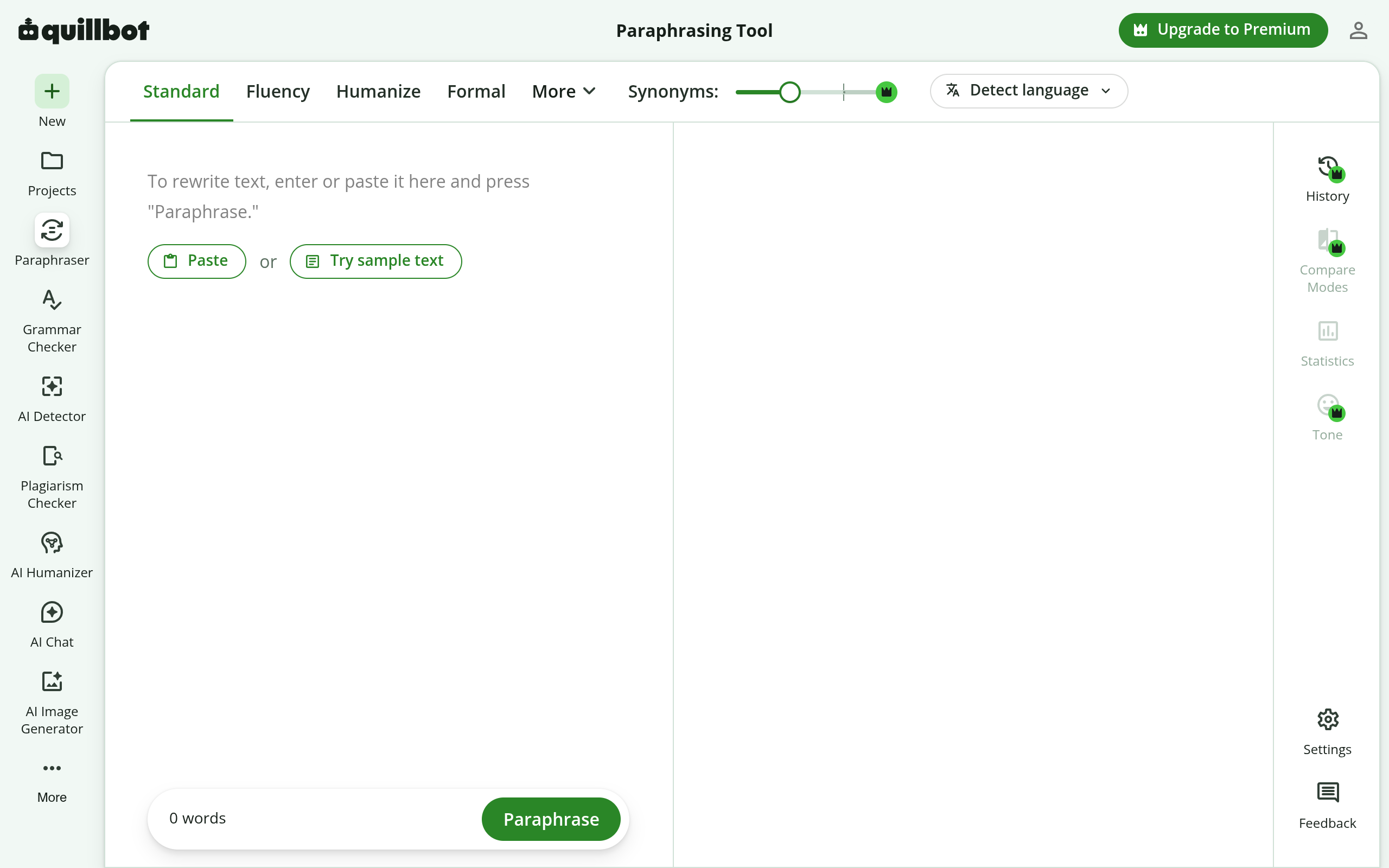
Quillbot Paraphraser is an AI paraphrasing tool that rephrases text in new ways without changing its meaning or context. According to the product page, it uses AI to find alternative phrasings at the sentence level, working like a full-sentence thesaurus. The tool supports using a synonym slider and a clickable thesaurus to adjust word choice, and it offers unlimited Custom modes plus 9 predefined modes. It is part of a broader suite of Quillbot AI writing tools.
The paraphraser provides unlimited Custom modes and 9 predefined modes, allowing text to be rephrased in many different ways. Standard and Fluency are available as free modes.
The Synonym Slider controls how much vocabulary is changed. Moving it left gives a more accurate rephrase with fewer changes; moving it right produces a more creative output with more changes.
Clicking any word in AI Paraphraser shows a list of suggested synonyms, allowing selection of a word that fits the intended tone.
Modes include Standard, Fluency, Formal, Simple, Creative, Academic, Expand, Shorten, Humanize, and Custom, which rewrites text to match a unique description provided.
The page states that the tool can rephrase text in 20+ different languages.
Quillbot works across supported apps and websites, and is available as a Chrome extension, macOS app, Windows app, and Word add-in.
Quillbot also provides a Grammar Checker, AI Humanizer, AI Detector, and Plagiarism Checker alongside the paraphraser.
The tool helps improve fluency, vocabulary, tone, and style for students and professionals.
It rewrites sentences, paragraphs, reports, and articles in seconds.
Working professionals can use it to rephrase digital communication for clarity and professionalism, expand or shorten memos and reports, improve flow and consistency, and simplify technical language.
Users can decide how much vocabulary to change and choose synonyms to fit the tone of a project for work or class.
The tool can paraphrase sentences, paragraphs, and articles or excerpts, among other text.
Paraphrasing is putting a piece of text into new words without changing the overall meaning. It involves rephrasing sentences or paragraphs, using synonyms, and restructuring the text while maintaining the core message. It can be done in your own words or with AI writing tools.
Paraphrasing transforms text into new words without changing the overall length, while summarizing condenses the main ideas into a much shorter version.
Working professionals can use it to rephrase digital communication for clarity and professionalism, expand or shorten memos and reports, improve the flow and consistency of written content, simplify technical language, and more.
The tool can paraphrase any kind of text, according to the page, making it useful for sentences, paragraphs, articles or excerpts, and many more.
Yes, the Paraphraser is free to use. You can rephrase up to 125 words at a time, as many times as you would like, with no daily limits on free paraphrases. Two free modes are available: Standard and Fluency. Quillbot Premium offers unlimited inputs, 10+ paraphrasing styles, and more for those who want to paraphrase more text at once and unlock additional modes.
Detects AI writing sentence-by-sentence and rewrites AI-sounding text

AI interview assistant for real-time answers, coding help, and live coaching

AI agent workspace for orchestrating end-to-end marketing workflows
Chat with AI characters in user-created or community-driven scenarios