ElevenLabs
AI voice generator and voice agents platform
Freemium

createmusicai.ai
generates original royalty-free songs from text or lyrics
 Visit website
CreateMusic AI is an AI music creation platform. According to the page, it turns text prompts or lyrics into original songs, and also provides tools for writing lyrics, creating song covers and music videos, separating vocals, mastering tracks, and preparing eligible music for commercial projects. The site describes its output as royalty-free and says tracks can run up to 8 minutes long.
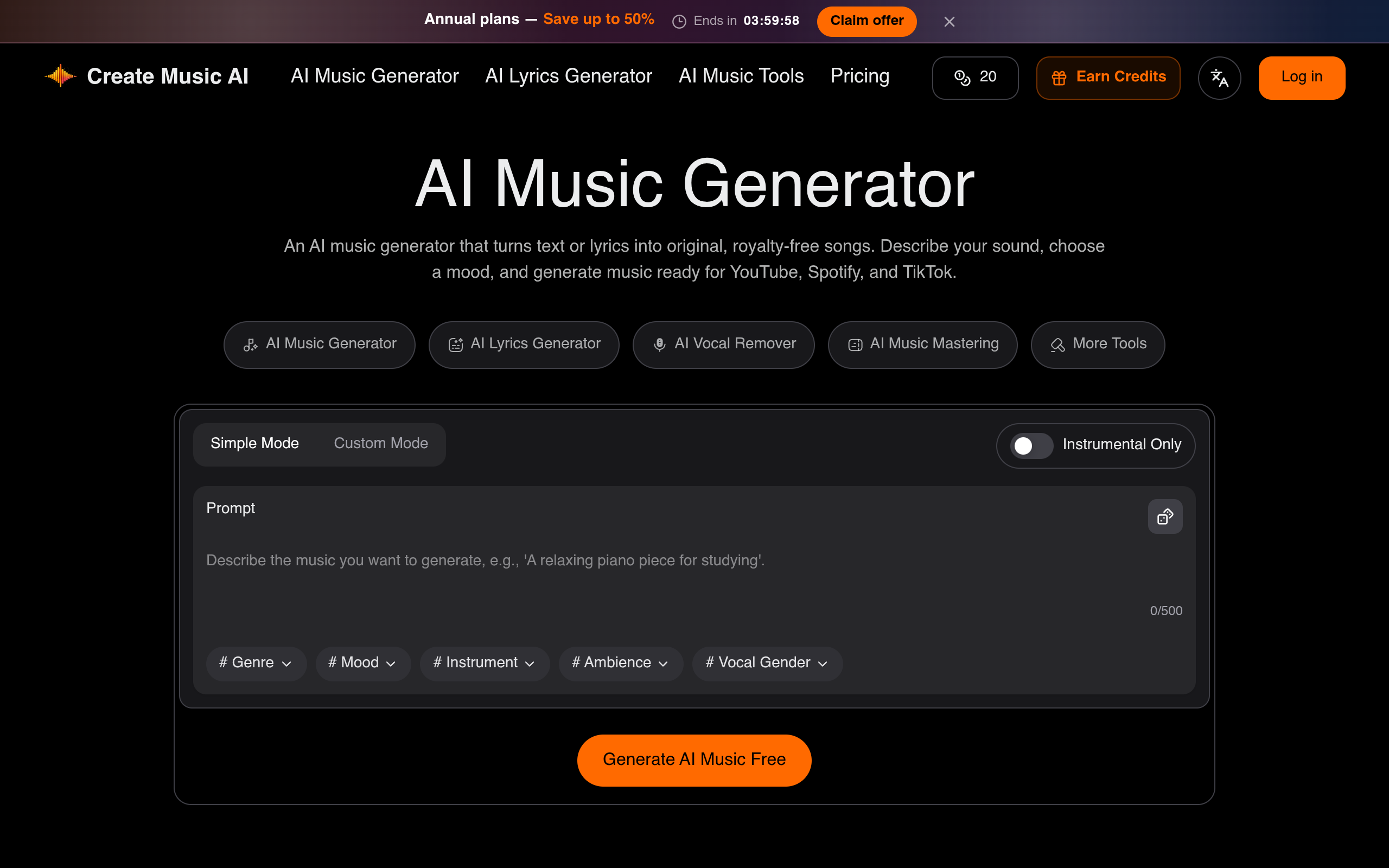
On the page, the generator offers a Simple Mode with a prompt field and a Custom Mode with fields such as title, lyrics, style, and vocal gender. You describe your sound, choose settings, and generate music. The site says a preview can appear in as fast as 30 seconds.
Turns a prompt or lyrics into a vocal or instrumental track, with simple and custom modes and an instrumental-only option.
Generates structured lyrics from a theme, story, or mood, including verses, choruses, hooks, and bridges.
Creates a new vocal interpretation of a song and explores different singing styles.
Turns a finished track, cover art, or a singer image into video content for platforms such as TikTok, YouTube Shorts, and Reels.
Separates vocals from instrumentals to create acapellas, backing tracks, or stems.
Aims to improve the loudness, clarity, dynamics, and consistency of generated or recorded music before publishing.
The platform includes audio-to-MIDI conversion, BPM and key analysis, format conversion, trimming, and other music utilities.
Can draft original episode themes, transition beds, and short stingers.
Can generate original intros, background tracks, and beat-led variants intended to fit uploads and short-form edits.
Can sketch chiptune themes, ambient loops, and separable stems for prototypes and levels.
Can draft jingles, lyrics, and sung hook ideas for ads and brand videos.
Can create beat starters, split reference stems, and run quick mastering passes to move from an idea toward a reviewable demo.
Can generate mood-led background cues and use BPM and key tools to align music with scenes and edits.
CreateMusic AI is an AI music creation platform for generating songs, writing lyrics, creating song covers and music videos, separating vocals, mastering tracks, and preparing eligible music for commercial projects.
The page suggests starting with the AI Music Generator for a complete track from a prompt or lyrics, the AI Lyrics Generator for songwriting, the AI Song Cover Generator for vocal covers, or the AI Vocal Remover for separation.
Yes. New users get 1 music generation (2 songs) per month to try the core generation workflow. Paid plans add higher limits, downloads, commercial usage rights for eligible tracks, and other plan features.
Tracks generated under a paid plan include a commercial license for eligible uses such as YouTube monetization, Spotify releases, TikTok ads, podcasts, films, games, and client work. Review the license details before publishing.
Annual subscribers can download a license certificate for each eligible track generated while the qualifying plan is active. The certificate provides a record of the commercial usage rights included with that track.
Yes. You can generate music, write or refine lyrics, create a vocal cover or music video, separate vocals, master the finished track, and review the applicable license without building the workflow across unrelated services.
Yes. The platform includes tools for vocal removal, stem separation, audio-to-MIDI conversion, BPM and key analysis, format conversion, trimming, and other practical music workflows.
Yes. After creating a song, beat, or instrumental, you can use the AI Music Video Generator to turn the track, cover art, or a singer image into video content for TikTok, YouTube Shorts, Reels, and music promotion.
