ElevenLabs
AI voice generator and voice agents platform
Freemium

deepl.com
AI platform for text, document and real-time voice translation
 Visit website
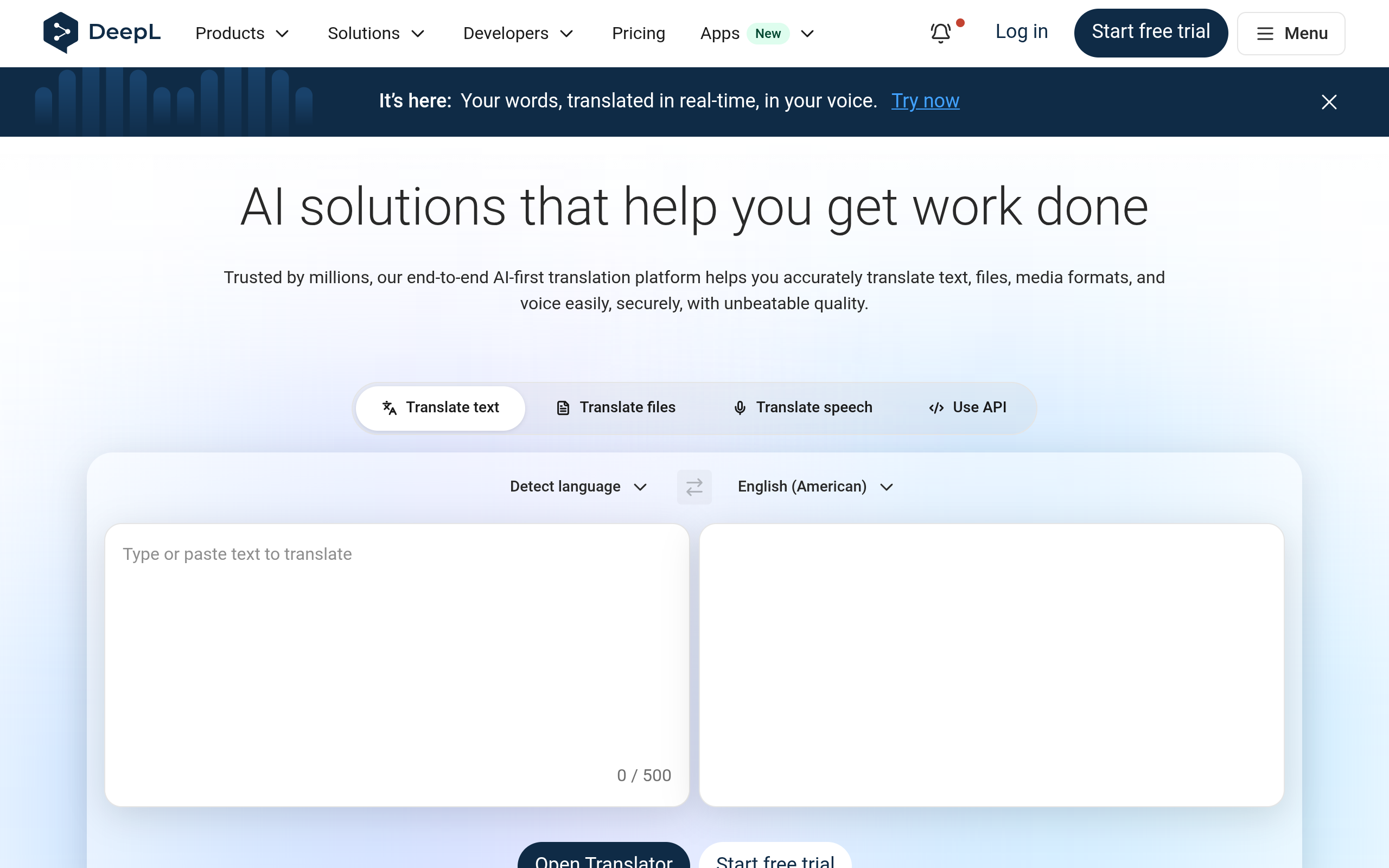
DeepL is a Language AI platform for translating text, files, media formats and voice. According to the page, it is trusted by millions of individuals and more than 200,000 businesses, and its specialized LLM is trained on proprietary data by thousands of language experts. The suite covers the Translator, DeepL Write, DeepL Voice, Documents and the DeepL API, and the platform supports 100+ languages.
/v2/translate endpoint with the text, source language and target language. Request and response samples are shown for cURL, JavaScript, Python and .NET. A quick-start guide is provided, and a free API key is available.Translate typed or pasted text between a source and a target language directly in the DeepL Translator.
DeepL Voice is described as translating voice in real time, preserving the speaker's voice across languages, for both virtual meetings and in-person conversations. The voice demo shows German and Italian speech rendered as translated English captions.
Drag-and-drop translation for any file type, covering all major formats and 100+ languages while preserving original formatting, layout and visual context. The platform states it is built for bulk and enterprise workflows.
A writing assistant that improves business writing, with style and tone adaptations to fit a brand and target audience.
Developers can integrate DeepL Language AI into their own systems to scale workflows; the API has documentation, an API reference, a community, a free API key and a quick-start guide.
DeepL can be combined with productivity tools, with integrations for Microsoft Word, Google Workspace and Microsoft 365, plus a desktop app, browser extension, mobile apps and a voice desktop app.
Custom glossaries, tone control and translation quality evaluation features are offered, along with a Customization Hub.
File translation keeps the original formatting and layout, which suits bulk and enterprise document workflows.
DeepL Voice is presented in a support scenario, where an agent and customer converse in different languages and messages are translated in real time.
Businesses use the platform to communicate across languages, and customer stories describe global collaboration and decision-making at companies such as Cybozu, Daiwa Securities and Hitachi Industrial Equipment Systems.
The platform is positioned for localization and marketing or communications work, including translating a technical website globally via the API.
The DeepL API lets teams integrate translation into their own systems to scale workflows and expand their global reach.
DeepL Voice supports both virtual meetings and in-person conversations, covering meeting captions and spoken dialogue.
The page describes support for 100+ languages, with popular pairs such as English to Chinese and English to French, and lists languages including Arabic, Bulgarian, Chinese, Czech, Danish, Dutch, Estonian, Finnish, French, German, Greek, Hebrew, Hungarian, Indonesian, Italian, Japanese, Korean, Latvian, Lithuanian, Norwegian (bokmål), Polish, Portuguese, Portuguese (Brazilian), Romanian, Russian, Slovak, Slovenian, Spanish, Swedish, Turkish, Ukrainian and Vietnamese.
Yes. DeepL Voice is described as real-time voice translation for virtual meetings and in-person conversations, and the page says the new voice feature preserves your voice in real time across languages.
Document translation is stated to preserve original formatting and layout, and to handle all major formats into 100+ languages with visual context retained.
Yes. The DeepL API is offered for building multilingual experiences into products, with documentation, an API reference, a quick-start guide, a community and a free API key.
The page offers a free API key for testing the API, a free translator, and a free trial for the broader platform. Some capabilities are described as Pro or enterprise features, and certain products are offered through subscription plans such as Individual, Team, Business and Enterprise.
AI voice generator and voice agents platform
Free text-to-speech with 20,000+ character voices

AI voice input tool that turns speech into structured text

Local desktop app for OCR subtitle extraction, speech transcription and subtitle translation